
Fluid Magic: 3D Live Wallpaper
Maxlabs Personalization ToolsPersonalization
4.4754.00 Reviews
- Version
- 1.8.0
- Installs
- 5.00M
- Age Rating
- Everyone
Screenshots
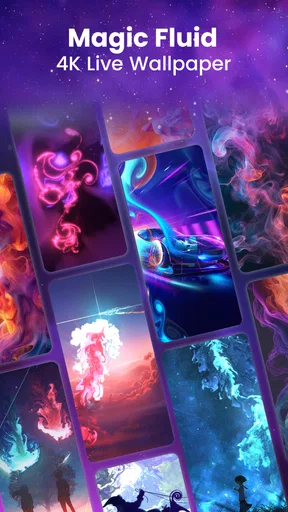
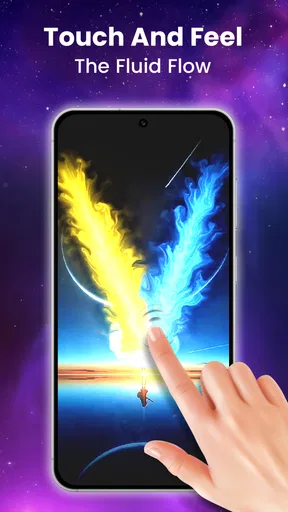
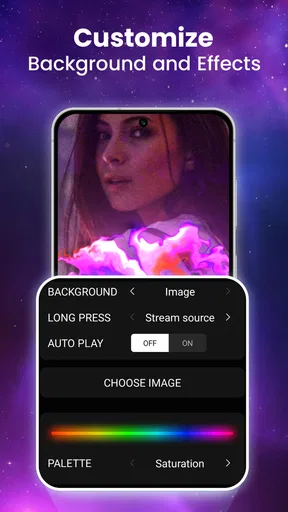
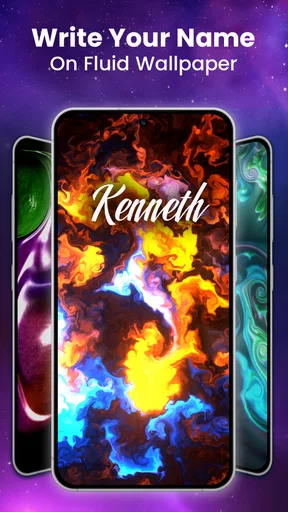
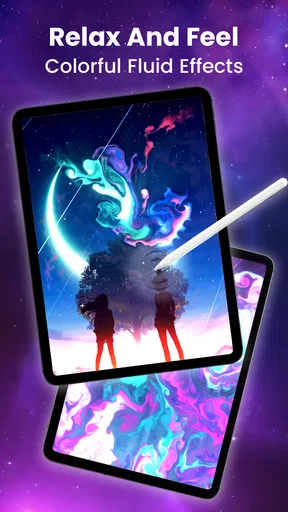
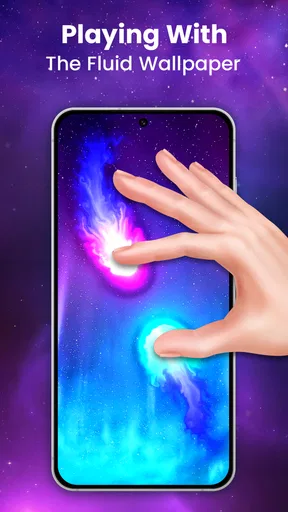
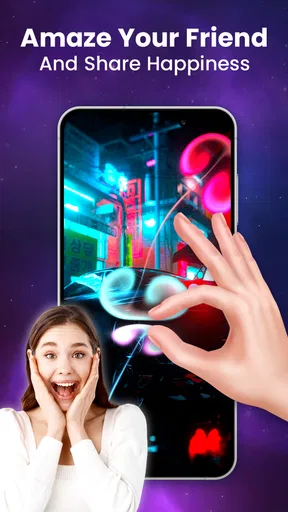
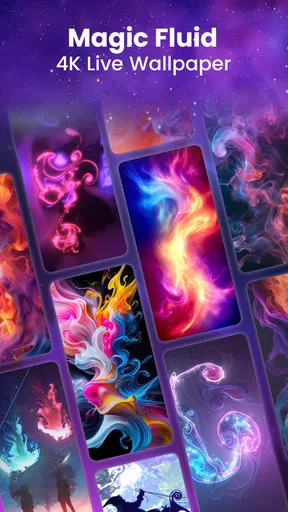
Our Review of Fluid Magic: 3D Live Wallpaper
 Analysis by Appyee
I like the idea of a wallpaper that feels more like a little moving artwork than a static photo, and that is the appeal of Fluid Magic: 3D Live Wallpaper. It turns the background into shifting, colorful fluid patterns, with touch interaction adding a playful extra. If you’re new to live wallpapers, the app is approachable: the first goal is simply to choose a look you enjoy and see how it behaves on your own screen.
What to expect from the moving background
This is a personalization app from Maxlabs Personalization Tools, built around animated fluid visuals rather than photos, icons, or a complete home-screen redesign. The effect is intended to be the focus: colors flow and change, giving your screen a softer, more animated feel. It suits someone who likes an expressive backdrop but does not want to spend time building a complicated theme.
The key difference from a static wallpaper is that the image does not stay fixed. That can make unlocking your phone feel a little more distinctive, but it also means the background is always competing with app icons and text for attention. I’d choose a restrained palette if I wanted the effect to sit quietly behind my home screen, and save brighter combinations for a lock screen or a device used more casually.
A reassuring first setup
The first setup is refreshingly simple. Open the app, look through the available visual choices and settings, then spend a moment deciding what feels comfortable rather than selecting the most dramatic option immediately. The app is free to download, with in-app purchases listed from $2.99 to $39.99 per item, so it makes sense to try the basic experience before considering any paid extras.
Fluid Magic is rated for Everyone, and the current version is 1.8.0; it requires Android 6.0 or later. The app has a 4.6 average from around 32,000 ratings and over 5 million installs. Those figures suggest that many people have tried it, but they are not a substitute for checking whether you personally like animated backgrounds or whether the effect suits your device and daily routine.
Your first satisfying result
For a quick first win, pick a color combination that works with your icons, apply the wallpaper, and then swipe across the screen to see how the fluid reacts. That interaction is a useful way to judge whether you enjoy the app beyond the initial novelty. I’d test it on the screen where you spend the most time, because a background that looks impressive in a preview may feel too busy under a row of frequently used apps.
A small practical tip: judge the result with your usual brightness and home-screen layout, not just while exploring the settings. If the animation makes icons harder to spot, try a calmer color choice or use the effect on the screen where it interferes least. That simple check helps turn the app from a quick visual experiment into a wallpaper you can comfortably live with.
What may take getting used to
Live wallpapers naturally trade stillness for movement. If you prefer a clean, predictable background, the animation may distract you, especially when you are trying to read small labels or find an icon quickly. A static image is the better option for anyone who wants the screen to remain visually quiet. Likewise, if you expect a full theme with coordinated icons and widgets, this app’s fluid wallpaper focus may feel narrower than you want.
Battery use is a fair question with any animated background. My experience in the original review was that the effect felt efficient, but battery behavior can vary with device, screen habits, brightness, and settings. I would give it a normal day of use and compare how the phone feels before deciding whether to keep the animation enabled. If you are already trying to stretch a low battery, a static wallpaper is the more cautious choice.
Another point to keep in mind is that customization can become a small time sink. It is tempting to keep changing colors and motion until the screen feels just right. I find it more useful to decide on a mood first—calm, bright, or dramatic—then test one setting at a time. That makes it easier to tell which changes actually improve the result instead of ending up with a busy mix that looks good only in a preview.
Where it fits among wallpaper choices
Compared with ordinary photo wallpapers, Fluid Magic offers motion and touch response rather than a personal snapshot or a crisp landscape. Compared with broader personalization apps, it has a more focused appeal: the moving fluid effect is the point, not a promise to redesign every part of the interface. That focus is helpful if you want a quick visual change, but it is not the right match if your priority is a coordinated set of icons, widgets, and lock-screen elements.
I’d recommend it most to people who enjoy experimenting with color, want a screen that feels less static, and are happy to spend a little time finding a comfortable look. It may be less suitable for someone who prioritizes a distraction-free display, prefers familiar photos, or dislikes animated backgrounds. The best choice depends on how much visual activity you want every time you check your phone.
The Magic Behind Fluid Magic
So, what exactly is Fluid Magic? At its core, it's a live wallpaper app that brings fluid simulations to your screen. Imagine a dynamic blend of colors swirling and evolving right before your eyes. The app uses advanced algorithms to create an ever-changing visual feast that’s not only beautiful but also surprisingly relaxing.
When you first install the app, you’ll notice the setup is pretty straightforward. No complex menus or confusing options—just a simple interface where you can start customizing your visual experience. This ease of use is a big win in my book, especially if you’re not looking to spend hours tweaking settings.
Customizing Your Experience
One of the standout features of Fluid Magic is the level of customization it offers. You can adjust everything from the speed of the fluid movements to the color palette used. Want a soothing ocean vibe? Go for blues and greens. Prefer something fiery? Reds and oranges will do the trick. The possibilities are practically endless.
Moreover, the app allows you to interact with the wallpaper directly. Swiping across your screen causes the fluids to react, creating a satisfying ripple effect. It’s a small touch, but one that adds a layer of interactivity that I found quite delightful.
Performance Matters
Now, you might be wondering about the performance hit on your device. After all, live wallpapers can sometimes be notorious battery drainers. From my experience, Fluid Magic is surprisingly efficient. The developers have done a commendable job optimizing the app so that it doesn’t guzzle up your battery or slow down your phone.
On both Android and iOS, I noticed minimal impact on battery life, which is often a concern with live wallpapers. It seems the app uses clever coding to ensure fluid animations don’t come at the cost of performance. Kudos to the team for that!
Visual Delight on Any Screen
The visuals are where this app truly shines. Whether you’re using a high-end smartphone or a more budget-friendly option, the graphics remain crisp and vibrant. The 3D effects give a sense of depth that makes the wallpaper feel alive and immersive.
I found myself often just staring at my phone, mesmerized by the constantly shifting patterns. It’s like having a piece of digital art right in your pocket. Trust me, if you’re a fan of aesthetics, you’ll appreciate what Fluid Magic brings to the table.
"Having this app on my phone feels like carrying a tiny art gallery with me wherever I go."
A realistic place for it in your routine
I can see this working especially well for someone who checks their phone in short bursts throughout the day and wants those brief moments to feel a little less ordinary. For example, if you use your phone during a commute, a subtle color flow can make the screen feel more personal when you glance at it, without requiring you to open a separate art or relaxation app. The interaction is also easy to show a friend: swipe once, let the pattern respond, and they immediately understand the appeal.
There is a trade-off, though. A moving background is most noticeable when the screen is otherwise idle, while your icons and notifications appear over it during ordinary use. I’d avoid choosing a look solely because it is striking when viewed full-screen. The more useful test is whether it remains pleasant behind the information you actually need to read. If you regularly use a crowded home screen, a calmer palette is likely to age better than the most intense option.
Small choices that improve the result
One useful way to explore the customization is to change a single quality at a time. Set the colors first, check how they sit behind your icons, and then adjust the movement speed if that option is available in your setup. This makes it easier to identify what is causing a distracting result. If you change several things at once, it is harder to tell whether the issue is the palette, the motion, or simply that a live wallpaper is not your preference.
I’d also treat the first choice as an experiment rather than a permanent decision. Keep the wallpaper through a normal stretch of use, including the moments when you are opening apps quickly or checking a notification. A design that feels relaxing while you deliberately watch it may be less comfortable when you are in a hurry. That distinction matters more than how impressive the animation looks during setup.
Compatibility and expectations
The listed system requirement is Android 6.0 or later, so Android users should check their device’s software before installing. The app is free to download, but optional purchases are available; I would explore the no-cost experience first and only consider spending if a particular extra is genuinely important to the look you want. With individual items priced across a range, there is no reason to treat a purchase as a necessary first step.
The product is described as an Android and iOS app, but live wallpaper behavior can depend on the operating system and device. In practice, I would confirm what the app lets you apply on your own phone rather than assuming every platform handles animated backgrounds identically. If your main goal is simply to try a fluid visual, the best first step is to install it on the device you intend to use and test the actual home-screen result there.
The age rating is Everyone, which makes the app broadly suitable from a content perspective. That does not mean the visual style is for everyone: people who find constant movement tiring, or who rely on a very plain screen to stay focused, may be happier with a still image. Personalization is most successful when it supports how you use the phone rather than making every unlock more stimulating.
Is It Worth Downloading?
So, is Fluid Magic: 3D Live Wallpaper worth the download? If you’re someone who enjoys unique visual experiences and wants to add a splash of creativity to their device, then absolutely. The app is free to download, with in-app purchases available for additional features and themes.
In conclusion, Fluid Magic offers a delightful blend of aesthetics and interactivity without compromising on performance. It’s a perfect choice for those looking to personalize their device with something a bit out of the ordinary. Give it a try, and you might just find yourself captivated by the magic of fluid dynamics on your screen!
Verdict
Strengths of Fluid Magic: 3D Live Wallpaper
- Stunning 3D visuals enhance device aesthetics.
- Low battery consumption for a live wallpaper.
- Highly customizable fluid patterns and colors.
- Smooth performance across various devices.
- Supports both portrait and landscape modes.
Limitations of Fluid Magic: 3D Live Wallpaper
- May lag on older devices occasionally.
- Limited free customization options.
- Ads can be intrusive in the free version.
- Requires internet for certain features.
- Some users report occasional crashes.
Other Releases by Maxlabs Personalization Tools
View All
Neon LED Keyboard: RGB & Emoji
Personalization4.7

Edge Lighting: LED Borderlight
Personalization4.6

Rolling Icon: 3D Wallpaper
Personalization4.4

Themes: Widgets & Icon Changer
Personalization4.7
Similar Picks in This Category
View All
Microsoft SwiftKey AI Keyboard
SwiftKey4.3

Wallpapers
Google LLC4.1

Zedge™ Wallpapers & Ringtones
Zedge4.7

Yandex Browser with Alice AI
Direct Cursus Computer Systems Trading LLC4.3

Ringtone Maker:create ringtone
Big Bang Inc.4.7

Fonts Keyboard
Fonts Keyboard3.9
Frequently Asked Questions
What is Fluid Magic: 3D Live Wallpaper and how does it work?
Fluid Magic: 3D Live Wallpaper is an interactive app that transforms your device's background into a dynamic 3D animation. It uses fluid simulation technology to create mesmerizing patterns and effects. Users can interact with the wallpaper by touching or tilting their device, causing the animations to respond in real-time.
Is Fluid Magic: 3D Live Wallpaper compatible with all devices?
While Fluid Magic: 3D Live Wallpaper is designed to work on most Android and iOS devices, performance may vary depending on the device's hardware capabilities. It requires devices with sufficient processing power and graphics support to ensure smooth animations. Always check the app’s compatibility with your device's specifications before downloading.
Does Fluid Magic: 3D Live Wallpaper consume a lot of battery?
Like most live wallpapers, Fluid Magic: 3D Live Wallpaper can use more battery than static images, as it requires constant processing for animations. However, the app is optimized to minimize battery consumption by pausing animations when the screen is off or when other apps are in use. Users can adjust settings to further reduce battery usage.
Can I customize the effects and colors in Fluid Magic: 3D Live Wallpaper?
Yes, Fluid Magic: 3D Live Wallpaper offers several customization options. Users can choose from different color palettes and adjust the intensity and speed of the fluid effects. These settings allow you to tailor the experience to your personal preferences, providing a unique and personalized live wallpaper.
Is there a cost associated with downloading or using Fluid Magic: 3D Live Wallpaper?
Fluid Magic: 3D Live Wallpaper is available as a free download, but it may include in-app purchases for premium features or additional customization options. While the basic functionality is accessible at no cost, purchasing premium upgrades can enhance your experience with more advanced features and effects.
